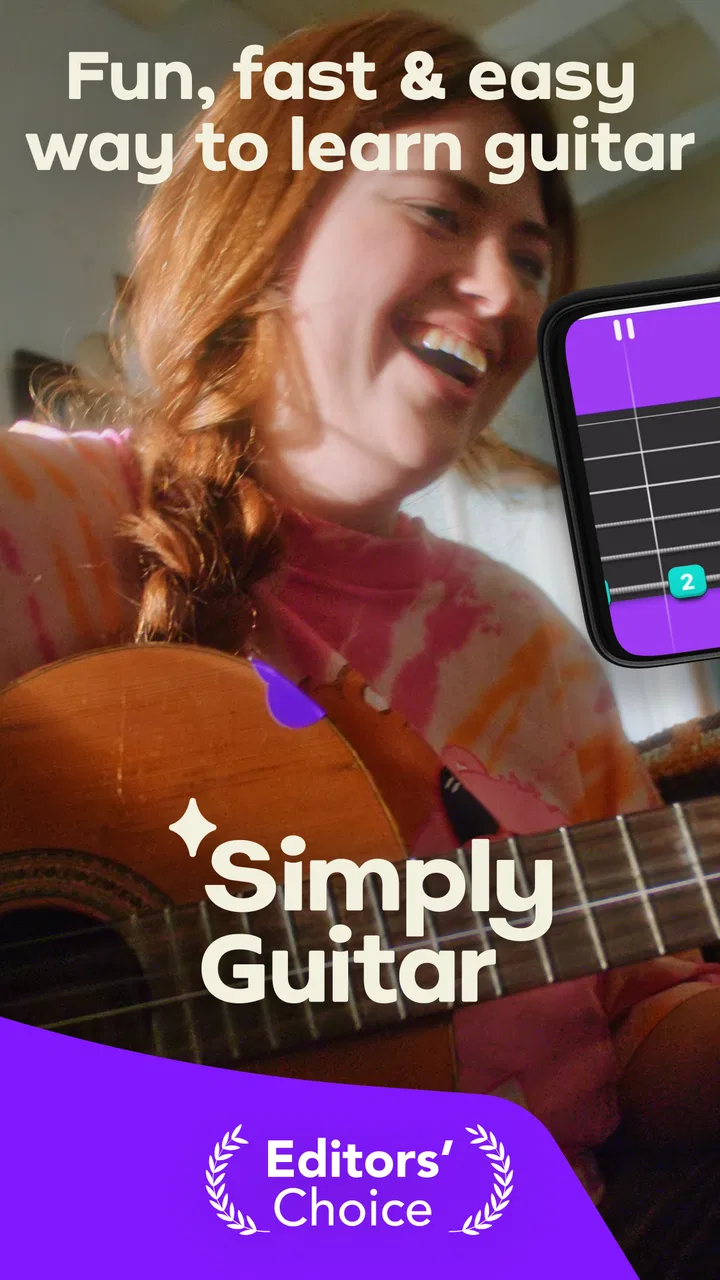
Simply Guitar - Learn Guitar
- 4.6
- Rating
- 10.00M
- Installs
- Free
- Price

 Analysis by App-foxy
Learning guitar with an app sounds simple until the first lesson refuses to hear you, the microphone picks up the television, or your fingers hurt before you can finish a chord. I spent time with Simply Guitar - Learn Guitar with those ordinary frustrations in mind, rather than judging it only by how attractive the first lesson feels. My impression is that it can make practice much easier to start, especially for someone who owns a guitar but has no clear plan. It is a free education app from Simply Ltd, aimed at beginners and designed to work with any guitar.
The important distinction is that this is not just a library of guitar videos. Its value comes from giving practice a path: you follow lessons, play along, and use the phone as a guide while building basic coordination. That approach is less intimidating than opening a search page and choosing between hundreds of unrelated tutorials. At the same time, the app depends heavily on a clean setup and a reasonably quiet room. When the listening part goes wrong, the lesson can feel harder than the guitar itself.
Getting past the first points of friction
The most common stumbling block is expecting the app to recognize everything perfectly from the first strum. A phone microphone is listening to the whole room, not only the strings. If the guitar is quiet, the television is running, or the phone is placed too far away, the feedback may not match what your ears tell you. That can make a beginner repeat a chord unnecessarily and start changing finger positions that were already close to correct.
You May Also Like

 Blood Strike: 2.5 Anniversary
Blood Strike’s Loadouts Turn Every Drop Into a Tactical Gamble
A close look at Blood Strike’s custom loadouts: how fast access to signature weapons reshapes its battle royale rhythm, rewards preparation, and narrows the gap between fights.

 Pandora - Music & Podcasts
Pandora’s Music Is Easy to Start, but Harder to Recover
Pandora’s strength is its low-effort path from a seed to a station. Its weak spot is how much confidence it asks you to place in connection, setup, and quiet recovery.

 8 Ball Pool
 Is Built on Rivalries, Rematches, and Routine
A close look at the rivalries, rematches, shared routines, and unanswered safety questions that turn a quick pool match into a persistent mobile community.

 Samsung Music
’s Quiet Strength Is Playing What You Already Own
Its reach comes less from spectacle than from dependable access to a personal library. That simplicity is both the app’s strongest retention engine and its ceiling.

 AccuWeather: Weather Radar
AccuWeather Review: A Quick, Clear Forecast for Everyday Decisions
For everyday plans, the best forecast is the one you can understand quickly. AccuWeather makes rain timing, radar, and local conditions easy to act on, with a few trade-offs.

 Hill Climb Racing
Why Hill Climb Racing Still Turns Crashes Into One More Run
A tiny car, a bumpy hill and one more upgrade: Hill Climb Racing keeps resurfacing because its simple chaos makes every near-miss feel personal.
More From Our News Desk



I found it more useful to treat the app's response as guidance rather than an absolute judge. Before restarting a lesson, I would play the chord once while listening carefully to the sound myself. A muted string, a finger touching a neighboring string, or a thumb pressing too hard can create a problem that looks like a recognition failure. This small pause prevents a frustrating loop in which I keep replaying the same exercise without identifying the real cause.
Another source of confusion is the difference between playing a chord and changing to it smoothly. A beginner may form a good shape while stopped, then lose it during a transition. The app can expose that weakness quickly because the lesson expects movement, not just a single successful position. I recommend practicing the change slowly outside the lesson, lifting the fingers only as much as needed. That is less exciting than moving ahead, but it usually saves time.
The physical instrument matters too. A guitar with stiff strings or uncomfortable action can make an otherwise manageable lesson feel punishing. New players often blame their hands or the app when the instrument is simply difficult to fret. If a chord requires excessive pressure, I would test the same shape at a different fret and compare the effort. Persistent discomfort is a reason to stop and have the guitar checked, not a challenge to push through.
The best early habit is to separate recognition problems from playing problems. First listen to whether the chord sounds clean. Then check whether the phone is hearing it. Finally, decide whether the lesson itself is asking for a transition that needs slower practice. Keeping those questions separate makes the experience much calmer.
A setup that gives the lessons a fair chance
Before beginning, I would place the phone where both the screen and the guitar are easy to use. It should be close enough for the microphone to hear the instrument, but not so close that the strings dominate the phone's handling or the screen becomes awkward to read. A stable surface is better than balancing the device against a cushion, because a moving screen quickly becomes distracting when both hands are occupied.
Quiet is more valuable than volume. Turning the guitar amplifier up is not automatically helpful if it also makes the room louder and less clear to the phone. For an acoustic guitar, a calm room and a normal playing position are a better starting point. If you use an electric guitar, keep the signal comfortable rather than aggressively loud. The goal is a clear note, not the biggest possible sound.
It is also worth checking the basics before assuming the lesson is broken. The device should run a compatible operating system, since the app requires Android 6.0 or newer. The guitar should be tuned, and the phone should have enough battery for a full practice session. A low battery, an active call, or another audio app competing for attention can turn a straightforward exercise into a confusing one.
I would begin with a short test rather than committing to a long session. Play a few open strings, then a familiar chord if you know one. Watch whether the app reacts consistently. If it responds to some sounds but not others, the issue may be technique, placement, or room noise rather than installation. This quick check is especially useful when using a guitar with a naturally soft tone.
Beginners should also decide where the phone will stay during practice. Holding it in one hand defeats the point of a two-handed instrument, while placing it on the floor makes the lesson hard to follow. A simple stand or a secure elevated surface can improve the experience without adding complicated equipment. I would not buy accessories immediately; first find a position that works with the guitar you already own.
How I recover when a lesson stops making sense
When feedback becomes inconsistent, my first move is to stop repeating the same attempt. Repetition is useful only when the information is trustworthy. I would exit the immediate exercise, retune if necessary, and play one string at a time. This reveals whether the problem affects the whole instrument or only a particular chord and transition.
If the sound is clean but the app still seems uncertain, I would change one variable at a time. Move the phone slightly, silence nearby audio, or adjust the guitar's playing position, then test again. Changing everything at once makes it impossible to know what helped. This is a general troubleshooting method, but it is particularly important here because a beginner has few reference points for judging what the microphone should hear.
Another useful recovery method is to divide a lesson into tiny targets. Instead of trying to complete a sequence at full speed, I would focus on forming the first chord, releasing it, and returning to it without looking down constantly. Then I would add the next change. This turns a vague failure into a visible skill. Even if the app expects a complete pattern, the smaller practice loop can happen just before returning to the guided lesson.
It is tempting to skip ahead after getting stuck, especially when a lesson feels repetitive. Sometimes that is sensible, but skipping the underlying movement usually makes the next section harder. I would move on only when I can produce the basic shape comfortably and understand what caused the earlier problem. Progress is not the same as reaching a later screen; it is being able to repeat the action without starting from zero each time.
Short sessions work better for this kind of learning than occasional heroic practice. Ten focused minutes with relaxed hands can teach more than an hour spent squeezing the neck and chasing recognition errors. The app is easy to fit into a daily routine because it gives the session a defined direction, but it cannot decide when your hands are tired. I would stop when the fingers become tense or the sound starts deteriorating.
Knowing when the phone is not the problem
Some issues belong to the instrument or the player, not the application. A guitar that is out of tune can make every exercise sound wrong. Old strings may produce a dull response, while a poor setup can make fretting unnecessarily difficult. These are not defects that a lesson app can correct. If several unrelated exercises feel uncomfortable, the guitar deserves attention before the app receives the blame.
Technique creates another misleading signal. Beginners often press directly on the metal fret instead of just behind it, or allow the wrist to collapse into an awkward angle. The result is buzzing, muted notes, and hand fatigue. I would check posture in a mirror and relax the shoulder before changing any app setting. A clean chord should not require the maximum force available from the hand.
Room acoustics can also mislead the microphone. A hard, echoing room may make the guitar sound louder to the player while making individual notes less distinct to the device. Soft furnishings, a closed door, and a position away from other speakers can help. This is not about creating a professional recording space; it is simply about reducing competing sound.
There is a limit to what guided recognition can teach. The app can help with timing, chord shapes, and a structured beginner routine, but it cannot replace a teacher who watches your wrist, identifies tension, and adjusts an exercise instantly. If you feel pain, remain confused about posture, or want detailed feedback on a particular style, an in-person teacher or a focused video lesson may be the better choice.
Who benefits most from this learning style
I think the strongest audience is the complete beginner who owns a guitar and keeps postponing practice because there is no obvious starting point. The guided format removes the question of what to do next. It is also useful for someone returning to guitar after years away and wanting a gentle route back into chord changes without designing a study plan from scratch.
It fits everyday routines well. Imagine coming home with twenty minutes before dinner: instead of searching for a suitable tutorial, you can open the next guided exercise, tune the guitar, and spend the available time on one defined skill. The phone does not need to become the center of the room; it only needs to be visible and able to hear the instrument. That low preparation cost is one of the app's practical strengths.
Families may also appreciate the Everyone content rating, particularly when a younger learner wants to try guitar with supervision. Still, age suitability does not guarantee that every child will find the pace comfortable. A child may need help holding the instrument, positioning the device, and interpreting feedback. The app can guide practice, but it does not remove the need for an adult to notice discomfort or frustration.
I would be more cautious recommending it to an experienced guitarist seeking advanced theory, detailed improvisation coaching, or highly specific genre instruction. The beginner-friendly structure is an advantage at the start, but it can feel restrictive once you already know common chords and want to choose your own repertoire. A teacher, notation resource, or specialized course may offer more control at that stage.
Free access, optional spending, and long-term use
The app is free to install, which makes it easy to test the learning approach before deciding whether it belongs in your routine. Optional in-app purchases range from $9.99 to $179.99 per item, so I would pay attention to the purchase screen and think about how consistently I am practicing before spending. A paid learning path is only worthwhile if the structure actually helps you pick up the guitar regularly.
Its popularity suggests that the format has reached a large beginner audience: it has over 10 million installs, an average rating of 4.6 from around 346 thousand ratings, and roughly 10 thousand written reviews. Those figures do not guarantee that it will suit every guitar, room, or learning preference, but they do show that this is an established app rather than an obscure experiment. I would still judge it by the quality of my own practice sessions.
The current version is 9.7.7, and the developer is Simply Ltd. Keeping the app updated is sensible when a lesson behaves strangely, but an update cannot fix poor guitar placement or a muted string. I would first repeat the basic setup checks, then restart the app and device if the behavior remains unusual. Simple recovery is often more useful than repeatedly changing playing technique.
Compared with free video tutorials, this app offers a more deliberate sequence and immediate interaction, while videos offer more variety and let you pause anywhere. Compared with private lessons, it costs less to begin and is available on demand, but it cannot observe your full posture or adapt personally to every mistake. Compared with a traditional book, it is more responsive during practice, though a book may be easier to revisit when you want a quiet reference without microphone feedback.
My practical verdict after using the guided approach
Simply Guitar - Learn Guitar is a good starting point for a person who needs structure more than theory. I like that it turns an intimidating instrument into a sequence of manageable actions, and I think the phone-based feedback can encourage practice when used in a quiet, sensible setup. The biggest lesson from using it is that successful progress depends on cooperation between the app, the guitar, the room, and the player's expectations.
I would recommend trying it if your main obstacle is not knowing what to practice next. Start with short sessions, keep the device stable, tune before beginning, and treat recognition as helpful evidence rather than a final verdict. When something feels wrong, isolate the sound, check the instrument, and change one setup detail at a time. Those habits make the guided format far more reliable.
I would skip it if you already play comfortably and want complete control over repertoire or advanced instruction, or if you need a teacher to correct posture and hand tension in person. I would also avoid judging it during a noisy first attempt. Give the setup a fair chance, then decide whether the lesson style keeps you picking up the guitar. For a true beginner, that practical consistency is where this education app earns its place.
FAQs for Simply Guitar - Learn Guitar
01What is Simply Guitar and how does it work?
Simply Guitar is an educational app designed to help users learn guitar at their own pace. It offers step-by-step lessons, interactive tutorials, and real-time feedback. Users can learn popular songs, essential techniques, and music theory. The app uses the device’s microphone to listen and provide instant feedback, making it suitable for beginners and intermediate players alike.
02Is Simply Guitar suitable for complete beginners?
Yes, Simply Guitar is perfect for complete beginners. The app starts with the basics, teaching users how to hold a guitar, play simple chords, and strum. As users progress, more advanced lessons become available. The structured approach ensures that beginners can build a strong foundation before moving on to more complex techniques.
03Does Simply Guitar require any additional equipment?
To use Simply Guitar, all you need is a guitar and a device with a microphone, such as a smartphone or tablet. The app listens to your playing through the microphone to provide feedback. No additional cables or equipment are necessary, making it easy to set up and use anywhere.
04Are there any subscription fees for Simply Guitar?
Simply Guitar offers a free trial with limited access to lessons. To unlock the full range of features and lessons, a subscription is required. The app offers various subscription plans, including monthly and annual options, allowing users to choose the plan that best fits their needs and budget.
05Can Simply Guitar be used offline?
Simply Guitar requires an internet connection to download and access lessons. However, once a lesson is downloaded, it can be accessed offline. This feature allows users to practice anytime, anywhere, without worrying about connectivity issues, especially useful for those who prefer practicing in quiet or remote locations.
Pros
- User-friendly interface for beginners.
- Wide range of popular songs to learn.
- Interactive lessons with feedback.
- Progress tracking and achievements.
- No prior experience required.
Cons
- Requires a stable internet connection.
- Limited free content available.
- Subscription can be costly.
- Not suitable for advanced players.
- Occasional app crashes reported.

Simply Guitar - Learn Guitar
Gallery